Four simple suggestions for getting the most out of your PC games
Whether your PC is cutting-edge or outdated, you can do a few simple tweaks to get the most out of it. Here are four quick plans to help you achieve just that:
You can get more from PC games through four practical steps: use software optimizers such as the NVIDIA App, choose a 1440p monitor as a balance between resolution and performance, invest in a suitable keyboard and mouse, and adjust in-game settings like view distance and shadows for smoother gameplay. These tweaks help improve frame rate and responsiveness without replacing your hardware.
1 – Utilize Software Optimizers
There are a plethora of excellent software-based performance optimizers available. If you have an NVIDIA graphics card, installing the NVIDIA GeForce Experience software is a simple approach to improving gaming performance. Razer Synapse is another excellent alternative. Among their many other capabilities, both of those instances automatically analyze your game program and attempt to select the optimal settings that your particular setup can handle. This is a fantastic technique to remove the element of the guesswork from optimization. However, these tools have one drawback: they don’t know how to optimize every game, so you’ll still need to manually optimize your surroundings, as indicated in our other two guidelines. Still, this type of software can help free up resources and automatically download the latest drivers, which is another simple way to keep your rig functioning at its best.
2 – Select the Correct Monitor
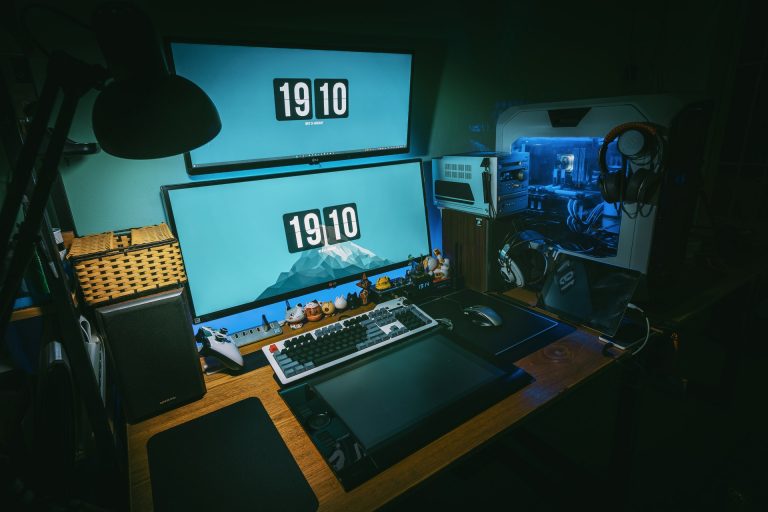
There are numerous monitor options available. Choose a display with a high resolution, fast response time, and a large size for the greatest, most expansive in-game views. While getting the highest quality 4K or higher monitors available may be tempting, the higher the resolution, the slower your game will run. 1440p monitors are the right compromise between a high resolution and great performance.
3 – Make the most of your accessories
High-performance keyboards and mice aren’t a gimmick for PC gaming equipment. Although you don’t need to spend hundreds of dollars, investing a little in your most critical computer interfaces – the ones you use every day for hours on end – is wise. A decent gaming keyboard can shorten the time between a finger press and an onscreen action and offer additional capabilities such as customizable hotkeys. A decent gaming mouse can make a significant difference in comfort and speed, but it depends on a suitable mousing surface. Ensure you choose one that fits your playing style.
4 – Always double-check your in-game options
For smoother gameplay, always go to your in-game options and tweak them. The more fluid your gameplay, especially when playing competitive multiplayer shooters online, the more successful you will be. You can experiment with the following settings:
Change the View Distance setting to Medium.
Turn off anti-aliasing and shadows.
Change the texture to a medium or low setting and the effects to a medium or low environment. Set the post-processing level to Medium or Low.
Vsync, Motion Blur, and Grass are all special effects that can be turned off.
While these three primary suggestions won’t turn a low-performance game into a high-performance monster overnight, they will help you noticeably boost performance. Any improvement you can get, whether it’s a smoother framerate, fewer graphical tears, or a better online gaming experience, is nice and can make using your PC for gaming even more fun.
Frequently asked questions
What are the best PC settings for higher FPS?
The most effective options are usually lowering view distance, textures, effects and post-processing, and turning off anti-aliasing, shadows, Vsync, motion blur and grass. These reductions lighten the load on the GPU and can produce smoother frame rates, though the exact improvement varies by system and game.
Is 1440p better than 4K for gaming?
1440p is a common middle ground. It provides clearer visuals than 1080p while demanding far less processing power than 4K, so it often allows higher and more stable frame rates on mid-range hardware. 4K offers the sharpest image but can noticeably slow performance unless the system is very capable.
Do gaming keyboards and mice actually help?
They can help in practical ways. A gaming keyboard may offer faster response between key presses and on-screen actions, plus programmable hotkeys. A gaming mouse can improve comfort and precision. A suitable mouse surface also matters. Modest spending on these everyday interfaces is often more useful than buying the most expensive models.
Can software really optimize my PC games?
Yes, within limits. Applications like the NVIDIA App can update drivers and recommend game settings based on your GPU, CPU and display data. Razer Synapse offers similar features. These tools reduce the guesswork and can free up resources, but they do not support every game, so some manual tuning may still be needed.